AI Pixel Art Generator for Fast, High-Quality Creations
Create pixel-perfect visuals in seconds with our ai pixel art generator. Using smart pixel art AI, you can transform photos into clean, stylish pixel art ready for sharing, gaming, or digital design.
(3528+ Reviews)
Image to Video
Text to Video
Video to Video
Upload Image
Dreamvid 2.0
Dreamvid 2.0
Better quality, faster speed, lower cost
Sora 2
Realistic world & audio simulation
Google Veo 3.1
Realistic output with natural audio
Pixverse V5
Smooth, expressive movements
Hailuo 02
Extreme physics simulations
Vidu Q1
Precise control over video motion
kling 1.6
More realistic motions
Click to upload an image
Uploading...
Upload JPG/PNG/WEBP images up to 10MB, with a minimum width/height of 300px.
Prompt
Dreamvid 2.0
Dreamvid 2.0
Better quality, faster speed, lower cost
Sora 2
Realistic world & audio simulation
Google Veo 3.1
Realistic output with natural audio
Pixverse V5
Smooth, expressive movements
Hailuo 02
Extreme physics simulations
Vidu Q1
Precise control over video motion
kling 1.6
More realistic motions
0/1500
Upload Video
Dreamvid 2.0
Dreamvid 2.0
Better quality, faster speed, lower cost
Click to upload a video
Uploading...
Upload mp4 files up to 50MB with max resolution of 1920px and max time of 30s
Pixel Art AI Generator That Turns Ideas into Adorable Art!
DreamVid's pixel art AI generator creates charming, lively visuals with rich details and playful colors. Powered by pixel ai art technology, it’s perfect for cute avatars, chibi characters, pixel cafés, fantasy worlds, cozy life sims, and fun content made to share anywhere!
Pixel Chill Dancing
Generate a 15s retro pixel-art video: Transform my photo into a pixelated girl in a white crop top and high-waisted jeans, dancing in a chill, laid-back way in a modern apartment. The vibe is relaxed and playful, with smooth, rhythmic movements, captured in a steady mid-shot to highlight the fun, nostalgic 8-bit aesthetic.
Old Fashion Pixel Man
Generate a 15s retro pixel-art video: Transform my photo into a pixelated character with blonde hair and a white shirt, waving and saying "hi" in a friendly, warm way. The vibe is cheerful and nostalgic, with smooth, playful movements, captured in a steady close-up to highlight the fun, retro 8-bit aesthetic.
Minecraft Game Girl
Generate a 15s blocky, Minecraft-style pixel video: Transform my photo into a blonde-haired character in a white dress, standing in a sunny, grassy landscape with trees and a lake. The character waves cheerfully and says "hi" with a friendly smile, captured in a steady mid-shot to highlight the nostalgic, playful blocky aesthetic.
Pixel Girl Afternoon
Generate a 15s retro pixel-art video: Transform my photo into a pixelated girl with long blonde hair, wearing a white jacket, holding an iced coffee, and sipping it elegantly in a cozy café. She waves gently, with a relaxed, sophisticated vibe, captured in a steady mid-shot to highlight the nostalgic, charming 8-bit aesthetic.
Pixel My Pet and Me
Generate a 15s retro pixel-art video: Transform my photo into a pixelated scene where a smiling woman in a white shirt plays joyfully with a fluffy white puppy in a sunlit park. The vibe is warm and playful, with smooth, gentle movements, captured in a steady mid-shot to highlight the nostalgic, charming 8-bit aesthetic.
Pixel Art Girl
Generate a 15s blocky, Minecraft-style pixel video: Transform my photo into a character with curly brown hair, wearing a white tank top and jeans, sitting on a grassy hill in a sunny, blocky landscape. The character waves cheerfully and says "hi" with a friendly smile, captured in a steady mid-shot to highlight the playful, nostalgic blocky aesthetic.
Why do you need to choose DreamVid's pixel art AI generator ?
Why do you need to choose DreamVid's pixel art AI generator ?
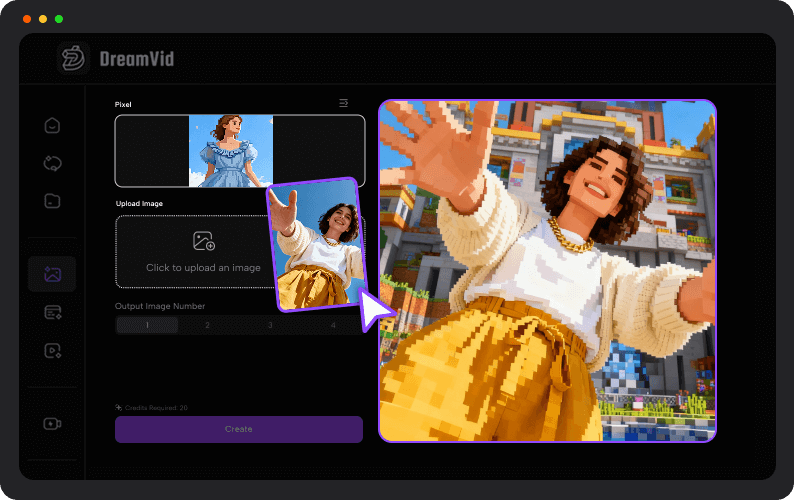
Turn photos into retro-style art with DreamVid image to pixel art AI built for creators and gamers! Our AI pixel art generator from image lets you AI convert image to pixel art with rich details, bold colors, and authentic pixel vibes—perfect for avatars, RPG characters, and indie game concepts.
Transform your pixel images into animated pixel art videos and bring your ideas to life! Upload an image and start pixel storytelling today!
If you’re searching for the best ai for pixel art, DreamVid is the answer. Designed as a powerful best ai pixel art generator, it produces clean, detailed, and adorable pixel art for avatars, games, content creation, and more—fast, easy, and fun!
DreamVid stands out as the best ai for pixel art thanks to its smart rendering and playful style control. One click is all it takes to turn ideas into pixel masterpieces. Try DreamVid today and see why “best” isn’t just a claim—it’s the result!
Don’t just create pixel art—make it move! DreamVid’s pixel art animation tools transform your static designs into dynamic pixel videos. From playful characters to full scenes, every creation can now dance, jump, and interact!
Our AI pixel art video generator makes animation simple and fun. No technical skills required—upload, animate, and share! Perfect for social media, game content, or just showing off your pixel masterpieces.
OMG! Turning my selfies into pixel art is the cutest trend right now! I tried the pixel art AI generator, and my TikTok followers can’t stop reacting. It’s so easy—just upload a photo and watch the magic happen! Honestly, I’m obsessed, I’ve made like ten versions already.
Liam S.
Guys! This pixel art AI generator is insane for gaming avatars! I turned my favorite game character into pixel art and it looks sick. My squad on Discord couldn’t stop laughing at my mini pixel version. Super fast and fun—I’ll def be making more for all my RPG characters.
Zoe L.
This pixel art AI thing is honestly addictive! I uploaded a selfie and got this adorable pixel version instantly. It’s like creating a tiny, cute avatar of yourself—so on trend right now. My friends are already making theirs for fun competitions on social media.
FAQs About AI Pixel Art Generator
How can I create the best pixel videos with DreamVid?
Use high-quality images and clear backgrounds when uploading to DreamVid’s ai pixel art generator. This ensures crisp, vibrant pixel details and smooth animation for your pixel videos.
Can I turn my favorite game characters into pixel art?
Yes! DreamVid’s ai pixel art generator works great with video game characters. Just make sure your creations are for personal fun or social sharing, not for commercial sale, to respect copyright rules.
Can I use cartoon characters with the pixel art AI generator?
Absolutely! You can upload images of cartoon characters for fun, fan art, or social media content. Avoid monetizing these creations to stay copyright-safe.
How do I make pixel art videos look more lively and cute?
Focus on bright colors, expressive poses, and clear details in your source images. DreamVid’s ai pixel art generator will then transform them into vibrant, playful pixel animations.
Are there any copyright concerns when using DreamVid for pixel art?
Yes, be mindful! Use your own photos or royalty-free assets. Fan art for personal or social sharing is fine, but don’t sell pixel art of copyrighted characters.
Is DreamVid’s pixel art generator free to try?
Yes! You can experiment with your images and create fun pixel videos instantly, with no downloads required—just upload, generate, and share.
Turn Ideas Into Amazing AI Videos
Ready to bring your imagination to life? Dreamvid’s AI suite lets you turn text into moving stories, photos into animated clips, and scripts into full cinematic experiences. With Dreamvid, creating polished, captivating AI videos has never been faster or more fun—try it today and watch your ideas come alive!
 DreamVid


 (3528+ Reviews)
  Dreamvid 2.0
 Sora 2
 Google Veo 3.1
 Pixverse V5
 Hailuo 02
 Vidu Q1
 kling 1.6
 Click to upload an image




 0
0


 Mia M.
 Liam S.
 Zoe L.


